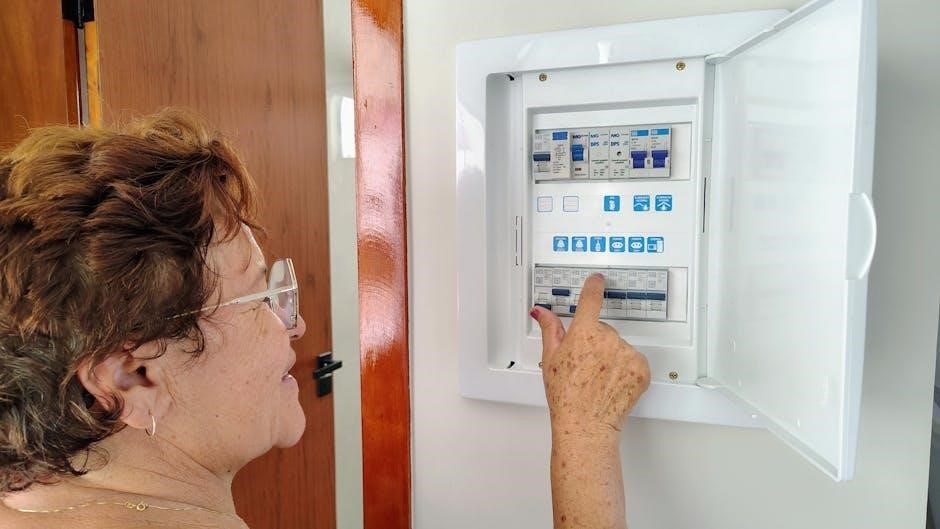
Hampton Bay Ceiling Fan Remote Manual: A Comprehensive Guide
This comprehensive guide details troubleshooting, synchronization, and installation for Hampton Bay ceiling fan remotes, ensuring optimal performance and addressing common user issues.
Understanding Hampton Bay Ceiling Fan Remotes
Hampton Bay ceiling fan remotes offer convenient control over fan speed, light dimming, and operation, enhancing comfort and energy efficiency. These remotes utilize radio frequency (RF) technology, eliminating the need for direct line-of-sight with the fan.
However, successful operation relies on proper synchronization between the remote and the fan’s receiver unit. Often, issues arise from incorrect DIP switch settings within both the remote and the receiver. These tiny switches control the communication frequency.
Understanding the receiver’s location – typically within the fan’s canopy – is crucial for accessing these settings. Home Depot resources and the fan’s model number are invaluable for locating specific installation instructions and troubleshooting guides. A key point is that multiple fans can sometimes be controlled by a single remote, provided the DIP switch configurations match.

Remote Compatibility and Model Numbers
Hampton Bay remotes aren’t universally compatible; matching the remote to the fan’s receiver is essential. The model number, often found on the fan itself or in the original packaging, is key to determining compatibility. The 98131 model is a popular “universal” option, but even it has limitations.
Older fans may require specific, discontinued remotes, making replacements challenging. When seeking a replacement, verifying the receiver’s compatibility is paramount. Home Depot, as Hampton Bay’s retailer, can assist in identifying the correct remote based on your fan’s model.

Pay close attention to the receiver unit inside the fan canopy; its model number can further refine the search. Incorrect remote usage can lead to functionality issues or, in rare cases, damage to the fan’s electrical components.
Locating the Remote Receiver
The remote receiver is the crucial component enabling communication between the remote and the ceiling fan. It’s typically housed inside the fan’s canopy – the decorative cover flush against the ceiling. Accessing it often requires removing a canopy cover, sometimes by twisting it counter-clockwise. A second person can be helpful to support the fan’s weight during this process.
Be cautious, as complete disassembly might be needed. Look for a white box within the canopy; this is the receiver. It’s essential to completely lower the canopy to gain full access to the receiver and its components, including the DIP switches.
Accessing the Receiver Housing

Gaining access to the receiver housing often begins with the canopy, the part of the fan mounted directly to the ceiling. Many models feature a bell-shaped canopy that can be carefully lowered to reveal the internal components. Look for a small canopy cover, a ring closest to the ceiling, which may twist counter-clockwise to loosen and expose mounting screws.
Remember to support the fan’s weight – assistance from another person is highly recommended. Depending on the model, you might need to partially or fully dismount the fan body to reach the receiver.
Identifying the White Receiver Box
Once you’ve accessed the area beneath the canopy, locate the receiver. It’s typically housed within a white, rectangular box – this is the remote receiver unit; This box is the crucial component for establishing communication between your remote and the ceiling fan itself.
The receiver contains the DIP switches, essential for synchronizing the remote. Ensure the receiver is fully visible and accessible before proceeding. If you encounter difficulty locating it, double-check that the canopy is lowered completely, providing unobstructed access to the internal wiring and components.
DIP Switch Configuration
DIP switches are small, physical switches located on both the remote control and the receiver unit within your ceiling fan. These switches, often in a series, allow you to set a unique frequency code. Correct configuration is vital for pairing the remote to your specific fan, preventing interference with other fans or devices.
Understanding these switches is key to resolving remote control issues. The receiver and remote must have matching DIP switch settings to function correctly. Often, they are set to factory defaults, which may coincidentally work for multiple fans, but intentional configuration ensures dedicated control.

What are DIP Switches?
DIP switches, short for Dual In-line Package switches, are a set of miniature switches found on electronic circuit boards. They’re manually operated, allowing users to configure settings by flipping them on or off, creating unique binary codes. Think of them as a simple way to set a unique “address” for your remote and receiver.
In the context of ceiling fan remotes, DIP switches determine the communication frequency between the remote and the fan’s receiver. Each switch position represents a binary value (0 or 1), and the combination of these values creates a specific code. Matching these codes is essential for successful synchronization and operation.
Finding the DIP Switches on the Receiver
Locating the DIP switches requires accessing the receiver unit, typically housed within the ceiling fan’s canopy. Begin by carefully lowering the canopy – a bell-shaped covering – to reveal the wiring and components beneath. You might need a second person to assist in holding the fan’s weight during this process.
Once the canopy is lowered, look for a small, white rectangular box; this is the remote receiver. The DIP switches are usually located on this receiver box. They appear as a series of tiny, sliding switches, often labeled or numbered for easy identification.
Synchronizing the Remote to the Fan
Successful synchronization hinges on matching the settings between the remote control and the receiver unit within the ceiling fan. This process involves adjusting the DIP switches on both devices. First, access the DIP switches on the receiver, as previously described, and note their current configuration.
Next, locate the DIP switches within the remote control itself – often accessible by opening a battery compartment or a designated panel. Carefully set the DIP switches on the remote to exactly match the settings on the receiver. This ensures the remote transmits the correct frequency for communication.
Setting the DIP Switches on the Remote
To access the DIP switches on your Hampton Bay remote, you’ll typically need to open the battery compartment or a designated access panel on the remote’s housing. These small switches, resembling tiny levers, control the communication frequency between the remote and the fan’s receiver.
Carefully examine the existing configuration of the DIP switches on the receiver unit. Then, using a small screwdriver or similar tool, gently adjust the DIP switches on the remote to precisely mirror the receiver’s settings. Ensure each switch is either “on” or “off” to match the corresponding switch on the receiver.
Matching Remote and Receiver Settings
Successful synchronization hinges on accurately matching the DIP switch configurations between the remote and the receiver. If the settings don’t align, the remote won’t control the fan. After setting the remote’s DIP switches, power cycle the fan – turn it off and then back on – to initiate the synchronization process.

If the fan still doesn’t respond, double-check each DIP switch position on both the remote and receiver. It’s common for multiple fans to share the same factory default settings, so ensuring a unique configuration is vital if you’re using a single remote for multiple fans.
Troubleshooting Common Remote Issues
Encountering problems with your Hampton Bay ceiling fan remote is common; A frequent issue is the remote failing to work after a battery replacement; ensure correct battery polarity and try a fresh set. Another challenge arises when a single remote inadvertently controls multiple fans. This indicates shared DIP switch settings – requiring reconfiguration for individual fan control.
Interference can also disrupt signal transmission. Check for potential sources like other electronic devices. If issues persist, a receiver reset or a complete resynchronization of the remote and receiver might be necessary to restore functionality.
Remote Not Working After Battery Replacement
If your Hampton Bay ceiling fan remote ceases to function after replacing the batteries, several factors could be at play. First, double-check the battery polarity – incorrect insertion is a common oversight. Even with new batteries, ensure they are fully charged, as low voltage can mimic a dead battery.
Next, verify the remote is actually communicating with the receiver. A resynchronization process, involving matching DIP switch settings on both devices, may be required. Finally, consider potential interference from other electronics, which can disrupt the signal.
Remote Controlling Multiple Fans

If a single Hampton Bay remote appears to control multiple ceiling fans, it indicates they share the same DIP switch configuration within the receiver units. This often occurs in homes where fans were originally installed with matching settings. To control each fan independently, you must adjust the DIP switches on the receiver of each fan.
Carefully access the receiver housing (often under the canopy) and modify the DIP switch settings to create unique combinations for each fan. Remember to synchronize the remote to each receiver after altering the DIP switches, ensuring individual control is established.
Resetting the Remote and Receiver
When encountering persistent issues, resetting both the remote and receiver can often restore functionality. Begin by removing the batteries from the remote control. Then, cycle the power to the ceiling fan itself – either via the wall switch or breaker – for approximately 30 seconds. This ensures the receiver fully resets to its factory default settings.
Reinstall the batteries into the remote. Subsequently, re-synchronize the remote with the receiver by following the DIP switch matching procedure outlined earlier. This process effectively clears any previous configurations and establishes a fresh connection between the remote and the fan.
Hampton Bay Remote Control Model 98131
The Hampton Bay 98131 is a widely used, 3-speed universal ceiling fan premier remote control. This model is designed for compatibility with numerous Hampton Bay ceiling fan models, offering convenient control of fan speed, light functions, and potentially other features. A dedicated user guide provides detailed instructions for installation and operation, emphasizing safety precautions to avoid fire or injury.
Proper installation requires careful adherence to wiring guidelines. Users should consult the guide for specific instructions related to their fan model. The 98131 aims to enhance user experience by providing a streamlined and accessible control solution for Hampton Bay ceiling fans.

Features of the 98131 Remote
The Hampton Bay 98131 remote boasts a 3-speed fan control, allowing users to adjust airflow to their preference. It also incorporates light control functionality, enabling independent operation of the fan and light kit. This universal remote is designed for broad compatibility within the Hampton Bay ceiling fan range, simplifying replacement or upgrade processes.
Key features include easy-to-use buttons and a clear layout for intuitive operation. The remote’s functionality relies on a receiver unit installed within the fan’s canopy, requiring proper DIP switch settings for synchronization. It provides a convenient alternative to wall controls, offering portability and ease of access.
Safety Precautions for Installation
Prior to installing the Hampton Bay 98131 remote, always disconnect power to the ceiling fan at the circuit breaker to prevent electrical shock. Carefully follow all wiring guidelines outlined in the user guide to avoid fire hazards and ensure proper functionality. Ensure the receiver unit is securely housed within the fan canopy, avoiding any loose connections or exposed wiring.
If you are uncomfortable working with electrical wiring, consult a qualified electrician. Avoid modifying the remote or receiver in any way, as this could compromise safety and void the warranty. Keep small parts away from children during installation.
Finding Installation Instructions
Locating the correct installation instructions for your Hampton Bay ceiling fan remote is crucial for a successful setup. As Hampton Bay is a Home Depot house brand, a primary resource is the Home Depot website. Search using your fan’s model number to access downloadable manuals and guides.
Alternatively, visit a local Home Depot store and inquire with an associate; they can often provide printed copies or direct you to online resources. Online forums, like DoItYourself.com, also offer user-shared instructions and advice. Remember, having the fan model number readily available will significantly streamline the search process.
Home Depot Resources
Home Depot provides extensive support for Hampton Bay products, including ceiling fan remotes. Their website features a dedicated section for manuals and guides, searchable by model number. This is the most direct route to finding official installation instructions and troubleshooting tips.
In-store assistance is also readily available. Home Depot associates can help locate relevant documentation or offer guidance on remote synchronization and DIP switch settings. Don’t hesitate to ask for help; they are familiar with Hampton Bay products. Utilizing these resources ensures a smoother installation and operation experience.
Using the Fan Model Number
Locating your Hampton Bay ceiling fan’s model number is crucial for accessing specific documentation. This number, typically found on a sticker affixed to the fan’s motor housing or canopy, unlocks a wealth of information. It’s the key to finding the correct installation instructions, parts diagrams, and remote compatibility details.
With the model number in hand, you can navigate the Home Depot website or contact their customer service for tailored support. This ensures you’re referencing the correct procedures for your specific fan model, avoiding potential errors during installation or troubleshooting. Accurate identification streamlines the process significantly.
Canopy Access and Mounting Screws
Gaining access to the receiver often requires navigating the fan’s canopy – the decorative cover closest to the ceiling. Many models feature a canopy that can be turned counter-clockwise to reveal mounting screws. However, be prepared; you might need a second person to safely support the fan’s weight during this process.
Depending on the design, complete access to the receiver may necessitate partially or fully dismounting the fan body. Carefully examine the canopy for hidden screws or locking mechanisms. Remember safety first; ensure the power is off before attempting any disassembly. These screws secure the canopy and allow access to the wiring and receiver.
Factory Default Settings
Many Hampton Bay ceiling fan remotes and receivers ship with pre-set factory default settings for the DIP switches. This means that if multiple fans are accidentally set to the same configuration, a single remote could potentially control them all. Understanding this default setting is crucial when troubleshooting control issues or attempting to synchronize a new remote;
If a remote isn’t functioning correctly, or controls unintended fans, checking the DIP switch positions against the factory defaults is a logical first step. It’s likely that both the receiver and the remote are initially set to the same default, explaining why one remote might operate multiple fans simultaneously.
Advanced Troubleshooting
When basic troubleshooting steps fail, advanced investigation is required. Begin by meticulously checking all wiring connections within the receiver housing and at the fan motor. Loose or improperly connected wires can disrupt signal transmission. Additionally, consider potential interference issues; other electronic devices operating on similar frequencies might cause disruptions.
Examine the receiver for any signs of physical damage. If multiple remotes are involved, test each one individually to isolate the problem. A multimeter can be used to verify power supply to the receiver. If issues persist, consulting a qualified electrician is recommended to rule out more complex electrical problems within the fan’s circuitry.
Checking Wiring Connections
Carefully inspect all wire connections within the receiver housing, ensuring each wire is securely fastened to its terminal. Loose connections are a frequent cause of remote control malfunctions. Verify the black (hot), white (neutral), and blue (light) wires are correctly connected, as per the installation instructions.
Pay close attention to the antenna wire; ensure it’s properly connected and not pinched or damaged. A weak antenna signal can lead to intermittent remote operation. Double-check the wiring at the fan motor itself, confirming all connections are tight and corrosion-free. Disconnect power before inspecting any wiring!
Potential Interference Issues
Remote control signals can be susceptible to interference from other electronic devices. Nearby sources like LED lights, wireless routers, and even certain appliances can disrupt the communication between the remote and receiver. Try temporarily turning off potential sources of interference to see if remote functionality improves.

Metal objects, particularly large ones, can also block the signal. Consider the placement of the fan and receiver relative to metal structures. If interference persists, relocating the receiver slightly or adjusting the antenna’s position might help; Remember that multiple fans with similar DIP settings can also cause interference.